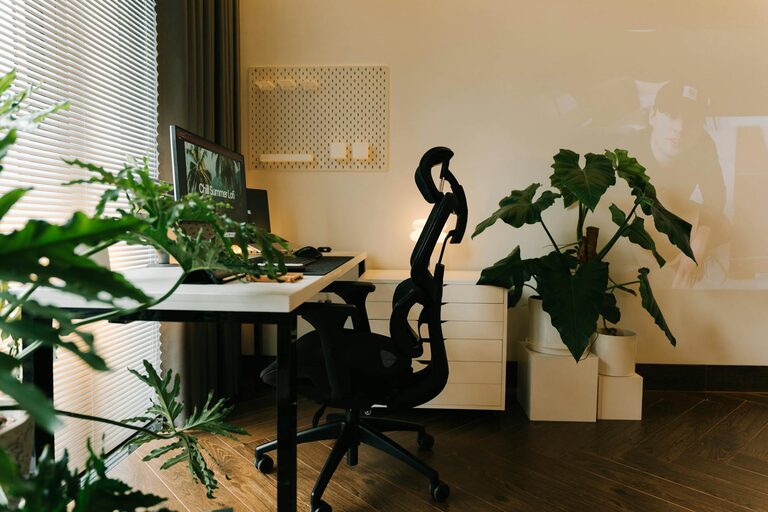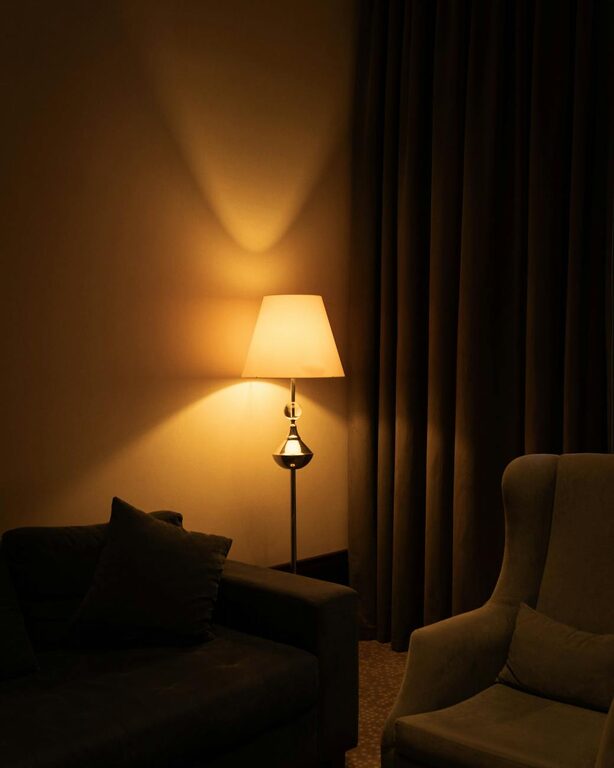
Creating a relaxing home workspace is essential for maintaining focus, reducing stress, and enhancing productivity, especially as many of us spend more time working from home. A comfortable and organised work environment not only improves your efficiency but also supports your mental wellbeing. Here are some practical tips to help you design a home office that feels relaxing and inviting.
Choose the Right Location
Selecting the perfect spot in your home to set up your workspace is the first step. Ideally, it should be a quiet area with minimal distractions where you can concentrate. If possible, choose a space with natural light, as it helps reduce eye strain and lifts your mood.
Consider These Factors:
– Proximity to noise sources like the television or kitchen
– Availability of power outlets for your devices
– Room for storage and necessary equipment
– Ventilation and temperature control
Invest in Comfortable Furniture
Comfort plays a big part in creating a workspace that you enjoy spending time in. An ergonomic chair that supports good posture is crucial for avoiding discomfort during long working hours. Likewise, a sturdy desk at the right height makes a huge difference.
Tips for Furniture Selection:
– Choose a chair with adjustable height and lumbar support
– Opt for a desk with enough surface area for your computer and paperwork
– Consider standing desks or sit-stand converters to allow movement
– Use footrests or cushions if needed to maintain comfort
Control Lighting and Minimise Glare
Good lighting not only prevents eyestrain but also helps maintain alertness. Natural light is best, so position your desk near a window if you can. However, direct sunlight can cause glare on screens, which is counterproductive.
Lighting Suggestions:
– Use sheer curtains or blinds to soften sunlight
– Add a desk lamp with adjustable brightness and colour temperature
– Avoid overhead lighting that creates harsh shadows or flickers
– Consider smart bulbs that can be programmed for different times of day
Declutter and Organise Your Space
A tidy workspace reduces distractions and helps you focus better. Keep only essential items on your desk and find designated places for everything else.
Organising Ideas:
– Use drawer organisers to separate office supplies
– Employ shelves or filing cabinets to store documents
– Label containers to easily identify contents
– Perform a quick tidy-up at the end of each day
Personalise with Calming Elements
Adding personal touches can make your workspace feel welcoming and calm. However, avoid overcrowding your desk with too many decorative items.
Suggestions for Calming Decor:
– Place a few small plants to bring life and fresh air
– Use colour schemes that promote relaxation, such as soft blues or greens
– Hang artwork or photos that inspire peace and happiness
– Include items with soothing scents like lavender or eucalyptus (using candles or diffusers)
Minimise Noise and Distractions
Noise can disrupt concentration, so try to reduce it as much as possible. If you live in a busy household or area, consider ways to block or absorb sound.
Noise-Reducing Methods:
– Use noise-cancelling headphones or earplugs
– Add rugs, curtains, or cushions that absorb sound
– Choose a room with a door you can close
– Play background music or white noise if it helps your focus
Incorporate Regular Breaks and Movement
Remember, a relaxing workspace is not just about the physical environment but also how you use it. Taking breaks and moving around keeps your body and mind refreshed.
Healthy Work Habits:
– Schedule short breaks every hour to stretch or walk
– Set reminders to step away from screens
– Use a timer or app for the Pomodoro technique (25 minutes work, 5 minutes rest)
– Consider light exercises or simple yoga stretches during breaks
Maintain Clean Air and Temperature
Fresh air and comfortable temperature levels can greatly impact your comfort and concentration.
Tips for Air Quality:
– Open windows regularly for ventilation
– Use an air purifier if needed
– Keep your workspace free from dust and clutter
– Adjust heating or cooling to maintain a comfortable environment
Utilise Technology Wisely
While technology is essential for most work, it can also become a source of distraction or discomfort.
Tech Management Tips:
– Organise cables to prevent clutter and hazards
– Use screen protectors or blue light filters to reduce eye strain
– Keep software and devices updated for smooth performance
– Limit notifications and set “do not disturb” times
—
In summary, creating a relaxing home workspace is about blending comfort, functionality, and a soothing atmosphere to support your productivity and wellbeing. By paying attention to lighting, organisation, furniture, and personal touches, you can transform any corner of your home into a pleasant place to work. Give these tips a try to make your home office a space you look forward to using every day.
About the Author