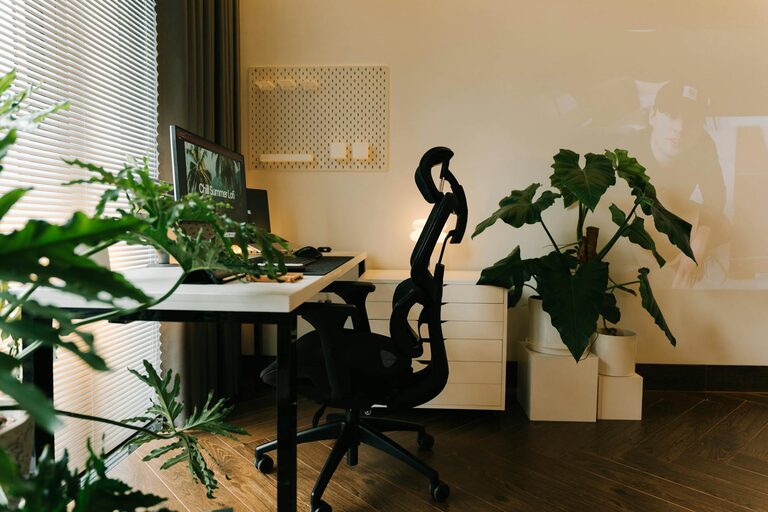
Creating a comfortable and productive home workspace is essential for anyone working remotely or studying from home. Without a designated area that supports your work needs, it can be difficult to focus and maintain motivation. This guide provides practical tips to help you set up a space that caters to your comfort and enhances productivity.
Choose the Right Spot
The first step in designing a home workspace is selecting the ideal location. Consider the following:
– Natural Light: Opt for a spot near a window if possible. Natural light helps reduce eye strain and improves mood.
– Quiet Environment: Pick an area with minimal distractions to maintain concentration. This might mean a spare room or a designated corner away from daily household noise.
– Space Availability: Ensure the space can comfortably fit your desk, chair, computer, and any other tools or paperwork you require.
Invest in Ergonomic Furniture
Comfort plays a vital role in productivity, especially if you spend many hours seated. Investing in ergonomic furniture can prevent strain and discomfort.
– Ergonomic Chair: Look for a chair with adjustable height, lumbar support, and adequate cushioning.
– Desk Height: Your desk should allow your elbows to rest at a 90-degree angle when typing.
– Keyboard and Screen Position: Place your keyboard and monitor so your wrists remain straight and your eyes are level with the top of the screen.
Organise Your Workspace Efficiently
An organised workspace reduces stress and helps you find what you need quickly. Here are some tips for effective organisation:
– Declutter Regularly: Keep only essential items on your desk to minimise distractions.
– Storage Solutions: Use shelves, filing cabinets, or desk organisers to store documents and supplies neatly.
– Cable Management: Use clips or cable ties to keep cords tidy and prevent tangling.
Optimise Lighting
Proper lighting is crucial for both comfort and focus.
– Task Lighting: Consider a desk lamp with adjustable brightness for detailed work.
– Avoid Glare: Position your computer screen perpendicular to windows or other light sources to reduce glare.
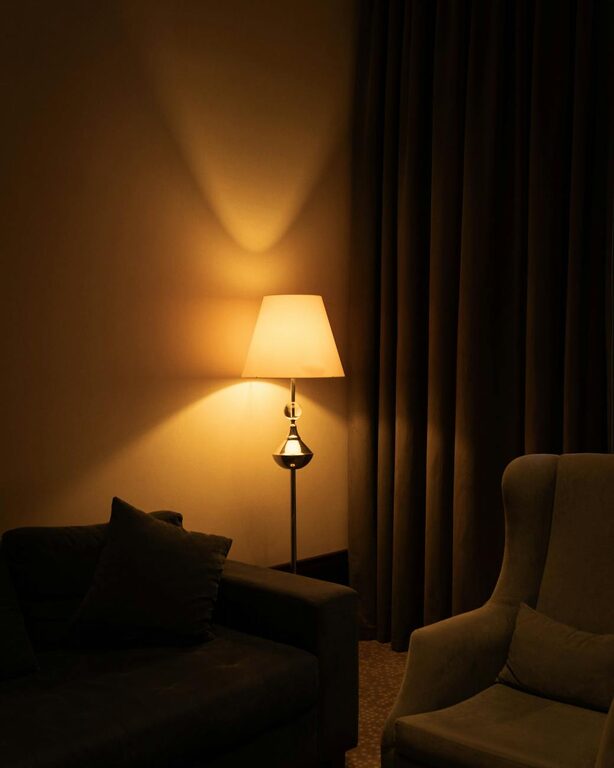
– Use Warm Light: Warmer light tones in the evening can help reduce eye strain and promote relaxation.
Personalise Your Space
Adding personal touches can make your workspace more inviting and enjoyable:
– Plants: Small indoor plants can improve air quality and provide a calming effect.
– Inspirational Items: Photos, artwork, or motivational quotes can boost morale.
– Comfort Accessories: Consider a small cushion, footrest, or even a blanket to enhance comfort.
Set Boundaries and Routine
A comfortable workspace is not just about the physical environment but also how you manage your time and space.
– Dedicated Work Hours: Establish regular hours to maintain work-life balance.
– Separate Work and Leisure: Try to reserve your workspace for work only to help switch off after hours.
– Take Breaks: Incorporate short breaks to stand, stretch, and rest your eyes.
Ensure Proper Technology Setup
Reliable technology is a backbone for productivity.
– Fast Internet Connection: Ensure your Wi-Fi is strong and stable.
– Quality Equipment: Use a reliable computer, keyboard, mouse, and headset.
– Backup Options: Keep a charger, external hard drive, or cloud storage to prevent data loss.
Maintain Good Posture and Movement
Working from home can lead to prolonged sitting and poor posture if you’re not careful.
– Sit Straight: Keep your back straight and shoulders relaxed.
– Feet Position: Your feet should rest flat on the floor or on a footrest.
– Move Regularly: Stand up and stretch every hour to reduce stiffness and increase circulation.
Conclusion
Creating a workspace that is both comfortable and productive takes some intention and effort but pays off in increased focus and well-being. By selecting the right location, investing in ergonomic furnishings, organising effectively, and managing your routine, you can transform your home workspace into an ideal environment for success. Remember, small changes can make a significant difference, so start with the tips that suit your needs and build from there.
About the Author